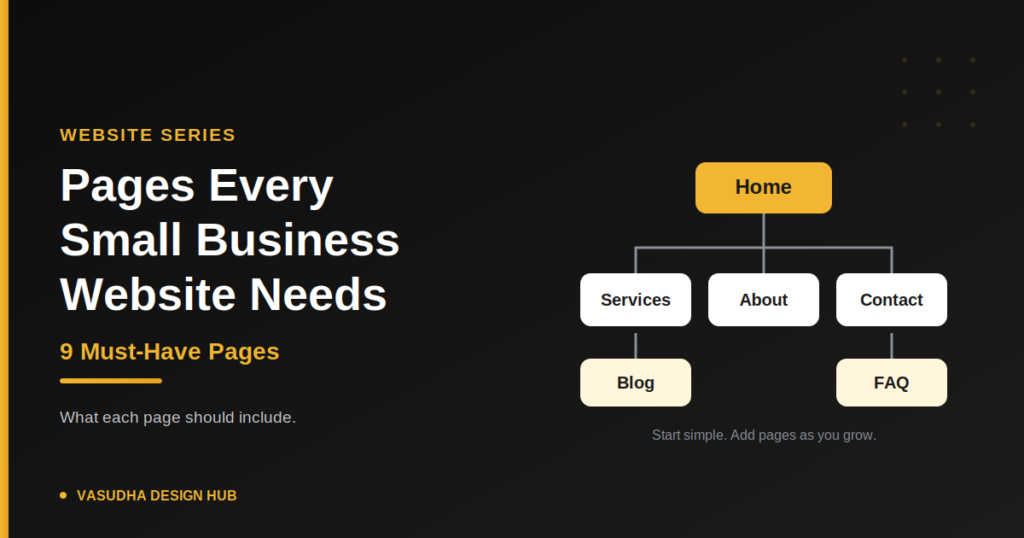
Small business website pages don’t need to be many, but a few are non-negotiable. Visitors arrive with a handful of questions: what do you do, can I trust you, and how do I reach you? Each page below answers one of them. If you’re still choosing your address, start with our guide on how to choose a domain name. Here are the nine pages to build first.
Small Business Website Pages: The 9 You Need
1. Home
The home page has one job: tell a visitor in a few seconds what you do, who it’s for and what to do next. Include a clear headline, a short summary of your services, one main button such as “Get a Free Quote”, and a few trust signals like reviews or client logos.
2. Services (or Products)
Give each main service its own section or page: who it’s for, what’s included and how to get started. This is easier for visitors to read, and it gives each service its own chance to appear in search.
3. About
People buy from people. Say who you are, what you do, why you started and where you’re based. Use a real photo of yourself or your team instead of stock images, one of the website mistakes that makes a business feel generic.
4. Contact
Put your phone number, email, address, WhatsApp link and a short form on one page. Repeat the phone or WhatsApp link in your header or footer so visitors never have to hunt for it. Add a map if customers visit you in person.
5. Testimonials or Reviews
Even three genuine reviews help. Use real names (with permission) and specific details about what you did. If you have none yet, ask your first happy customers, and never invent them.
6. FAQ
Answer the questions customers ask you repeatedly, such as how you work, how long it takes and how pricing is decided. It cuts down repeat messages, and it can also help your content answer questions people type into search.
7. Blog
A blog gives you fresh, useful content that can bring visitors from search. Start with questions your customers actually ask, and keep each post specific and honest. Quality matters more than frequency.
8. Privacy Policy
If you collect names or emails through a form, or use analytics or ads, you should have a clear privacy policy that explains what you collect and why. Link to it from your footer. Rules differ by country and business type, so ask a professional if you’re unsure what yours must say.
9. A Helpful 404 Page
Visitors sometimes land on a page that no longer exists. Google’s SEO guidance recommends a custom 404 page that guides them back to a working page, ideally with a link to your home page and popular content. Avoid a vague “Not found” message, and ask your developer to make sure the page still returns a real 404 status.
Pages to Add Later
Add these only when you have real content for them:
- Pricing: if you can share ranges or packages
- Portfolio or case studies: once you have real projects to show
- Thank-you page: shown after a form is submitted, which also helps you track enquiries
- Careers: when you start hiring
A Simple Menu to Start With
Keep your main menu to five or six items: Home, Services, About, Blog and Contact, with the FAQ and Privacy Policy in the footer or menu. Too many items overwhelm visitors, which is why a cluttered menu is one of the most common website mistakes.
Quick Questions
How many small business website pages do I need to launch?
Home, Services, About and Contact are enough to launch. Add the rest as soon as you can.
Should every service have its own page?
If each service attracts different customers, yes. Otherwise a single services page with clear sections works fine.
The Bottom Line
Strong small business website pages are simple: they answer what you do, why you can be trusted and how to reach you. Start with the first four, add reviews, an FAQ, a blog, a privacy policy and a helpful 404 page, and grow from there. When you’re ready to build, our website design services can help.
Ready to put it all together? Follow our guide to build a small business website.